
Online AI Image Text Editor
Edit Text in Image Seamlessly-Easily change text on a picture or modify text in photo summaries without ruining the background. Powered by AI to edit text in image with same font and style perfectly—even for static PPT slides and AI results.
Drag and drop to upload images
upload your image
No image? Try one of these:


* All data you upload are automatically deleted every day By uploading an image or URL you agree to our Terms of Service. To learn more about how we handles your personal data, check our Privacy Policy
How to Edit Text in Image: A 3-Step Professional Guide
1. Upload Your Image
Select your JPG, PNG, or WebP file. Our image text editor works perfectly on screenshots of PPT slides, marketing posters, and AI-generated visuals.
2. AI Text Recognition & Edit
Click on any detected text area. Our AI will read text from image instantly, matching the original font, size, and color so you can type your changes directly.
3. Perfect Background Healing
Once you change text on a picture, the AI restores the background texture seamlessly. Download your high-resolution result immediately.
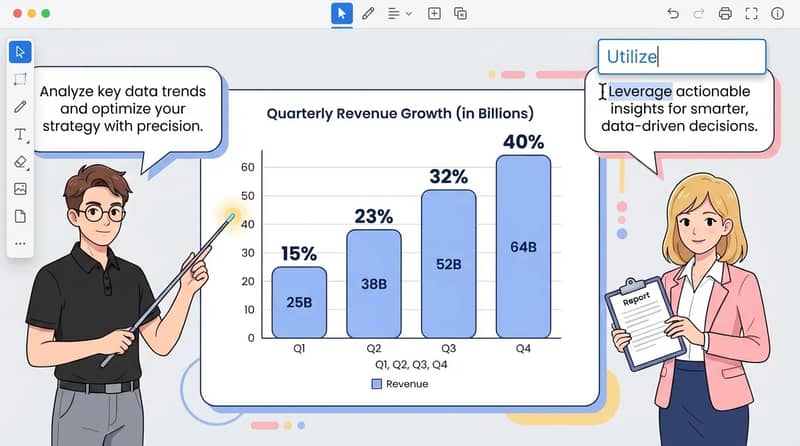
Why Choose Our AI Image Text Editor?
Powerful professional features designed to solve the most common challenges in image text modification.
AI-Powered Automation
Stop wasting time on manual transcription or re-creating layouts from scratch. Our latest AI image text editor uses advanced OCR to not only read text from image but also understand its spatial context. It automates text detection and alignment, ensuring that your edits fit into the original structure with zero manual effort required.

No Source Files Needed
Missing the original layered Photoshop or design file? No problem. Our tool acts as a powerful layer restorer for flattened images. You can directly edit text in image files like JPG and PNG, turning static pixels back into editable content. This is the ultimate solution for fixing typos in legacy assets or presentation screenshots without a source file.

Perfect for Localization
Scale your global marketing efforts effortlessly. Our tool is the ideal solution for image localization, allowing you to read text from image and replace it with any language you choose. It preserves the original design's aesthetic and font style, ensuring that your localized posters and infographics look as professional and native as the original version.

Quick Edits for Presentations
Specifically optimized for corporate and AI-generated content, this feature lets you fix typos in PowerPoint screenshots or complex AI-generated infographics on the fly. It intelligently restores intricate background patterns, gradients, and textures behind the text, making it completely invisible to the naked eye that any modification has taken place.

What Our Users Say
I had a typo in an AI-generated infographic. This image text editor allowed me to modify text in photo without regenerating the whole thing. The font match is incredible!

Saved me hours of work on my PPT slides. I could change text on a picture where the original file was lost. It's a lifesaver!

Key Advantages
Experience professional-grade text editing in images

Speed
Edit text in image as easily as typing in a Word document. Slash your editing time by 90%.

Pro Quality
Edit text in image with same font and color. No blurry spots or "erasing" marks left behind.

Versatility
Works on any text in image editor scenario—from screenshots to complex marketing posters.

User-Friendly
No Photoshop or design skills required. Our intuitive interface allows anyone to achieve professional-grade results with just a few clicks.
Frequently Asked Questions
Can't find the answer you're looking for? Contact our support team
Our AI intelligently heals the textures behind the characters. When you change text on a picture, it fills the gaps automatically, ensuring no traces are left.
Absolutely. It is designed for "uneditable" content. The AI will read text from image and allow you to modify text in photo summaries or static slides.
Yes. The image text editor analyzes the font's size, color, and weight. It applies the closest matching style to ensure your new text blends in perfectly.
Yes, we support global text recognition. You can edit text in image files in various languages and manually replace them with your desired text.
We support JPG, PNG, and WebP. Even high-resolution screenshots are processed quickly by our AI image text editor.
Yes. Our advanced background restoration technology handles complex patterns and gradients, making it the best way to edit text in image online.
Security is our priority. Your image files are encrypted during processing and are automatically deleted from our servers once you finish editing.
We do not offer automatic translation currently. However, you can replace text in image manually with your own translated text in any language you choose.