
1
Upload Your Video
Choose a supported video file and wait for the preview to appear before starting the subtitle task.
Upload a video to extract accurate timed captions, or translate the subtitles into a language your audience understands.
Extract the spoken words and their timestamps from your video.
0/240
This run uses 1 credit. You have 0 remaining.
Avoid uploading private or sensitive videos.

Create a practical caption file for editing, accessibility, localization, and short-form video publishing.
Upload a video and let the speech-to-text workflow return subtitle lines with start and end timestamps, ready for a caption editor or VTT-compatible player.

Choose the source language or use auto-detection, then translate the full caption sequence while preserving the original timing and line count.

Review every subtitle line in one readable result panel and download VTT for video workflows or TXT for scripts, notes, and translation review.

Creators, educators, and editors use Imgkits to move from spoken video to editable captions with fewer manual steps.
I can turn a recorded lesson into a usable caption file before I open my editor, which makes accessibility checks much easier.

Nora Chen
Online Educator
The translation mode keeps the timing structure intact, so I can send the translated lines to our localization review without rebuilding the list.

Daniel Ruiz
Video Editor
I use the TXT export to clean up interview quotes and the VTT export when the finished clip needs captions right away.

Ava Morgan
Content Producer
Create or translate a subtitle file in three focused steps.
Choose a supported video file and wait for the preview to appear before starting the subtitle task.
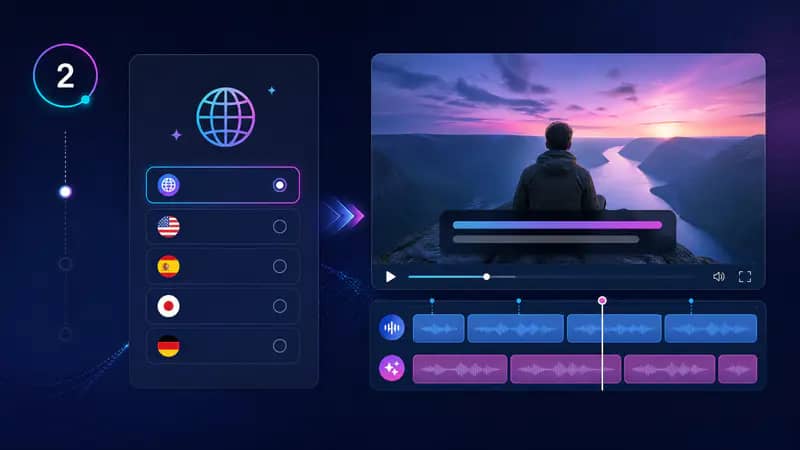
Extract the original speech as captions, or select a source and target language for translated subtitles.

Read through the timed lines, copy the transcript, or download a VTT or TXT file for your next workflow.
Can't find the answer you're looking for? Contact our support team
The AI Subtitle Helper turns speech in a video into timed subtitle lines. You can also translate those lines into another language before downloading them.
Yes, choose Translate mode and select the source and target languages before you start. Timing is retained while the caption text is translated.
The tool accepts common MP4, MOV, AVI, WebM, and M4V video files up to the size limit shown in the form.
Yes, the result panel provides a VTT download for caption workflows and a TXT download for transcript review.
No transcription system is perfect, so review names, punctuation, and specialized terms before publishing. The timed lines give you a strong editable starting point.
Keep exploring
Related Imgkits tools selected for the task you are working on.