Remove Furniture from
Photos Instantly
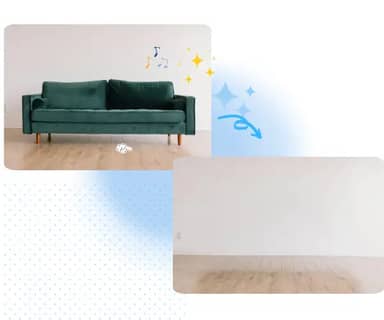
Effortlessly eliminate unwanted furniture from your images with our AI-powered tool. Perfect for real estate, interior design, and photo editing needs.
or drag and drop photo here
No Image? Try one of these


How to Remove Furniture from Photos
Follow these simple steps to remove any furniture from your images quickly and effectively
Upload Your Photo
Select and upload the image containing furniture you want to remove. Supports JPG, PNG, and WEBP formats.
AI Processing
Our advanced AI automatically detects and removes the furniture while preserving the background and other elements.
Download Result
Download your furniture-free image in high quality. The process takes just a few seconds to complete.
Upload Your Photo
Select and upload the image containing furniture you want to remove. Supports JPG, PNG, and WEBP formats.
AI Processing
Our advanced AI automatically detects and removes the furniture while preserving the background and other elements.
Download Result
Download your furniture-free image in high quality. The process takes just a few seconds to complete.
Advanced Furniture Removal Features
Discover powerful tools designed specifically for removing furniture from your photos
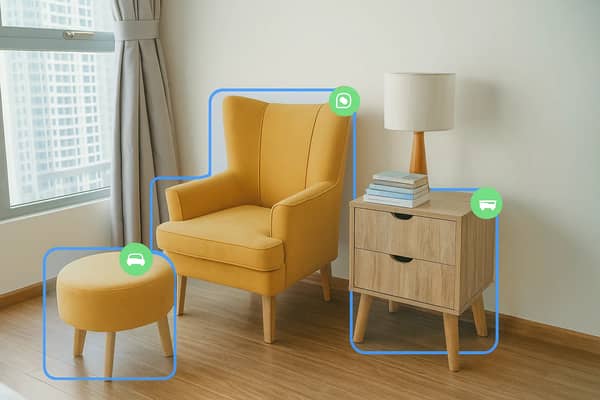
Smart Furniture Detection
Our AI precisely identifies various types of furniture including sofas, tables, chairs, beds, and cabinets, ensuring accurate removal without affecting other objects.
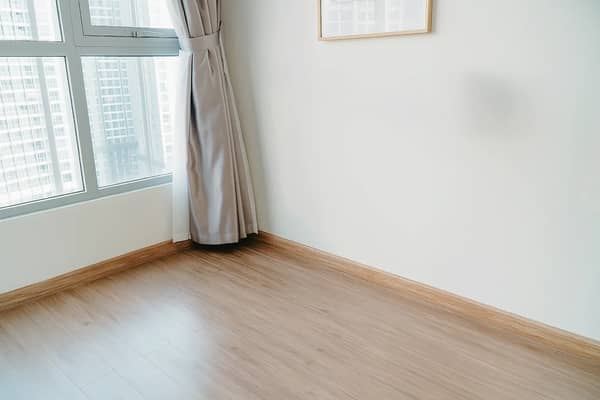
Background Preservation
Advanced algorithms maintain the original background texture, lighting, and perspective, creating natural-looking results after furniture removal.
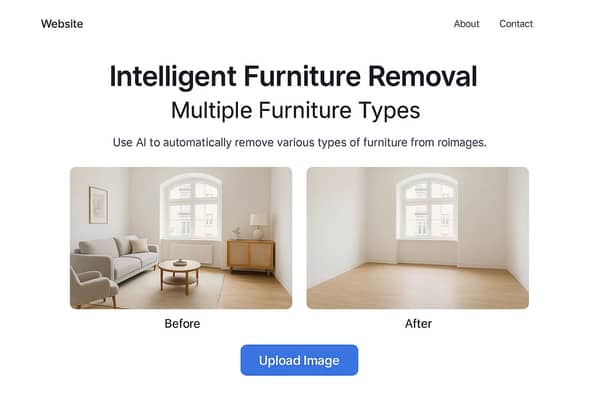
Multiple Furniture Types
Remove any type of furniture from your photos - from small decorative items to large furniture pieces like wardrobes and dining sets.
Why Choose Our Furniture Remover
Experience the benefits of professional-grade furniture removal technology
Real Estate Photography
Create clean, empty room photos for property listings and virtual staging
- • Professional listing photos
- • Virtual staging preparation
- • Highlight room space and layout
Interior Design Projects
Visualize spaces without existing furniture for design planning and client presentations
- • Design concept visualization
- • Client presentation materials
- • Space planning assistance
Photo Editing & Restoration
Remove unwanted furniture from personal photos and create clean backgrounds
- • Personal photo enhancement
- • Background cleanup
- • Creative photo editing
Commercial Applications
Professional furniture removal for marketing materials and architectural photography
- • Marketing material preparation
- • Architectural documentation
Frequently Asked Questions
Get answers to common questions about removing furniture from photos
Our AI can remove virtually any type of furniture including sofas, chairs, tables, beds, wardrobes, cabinets, desks, bookshelves, and decorative furniture pieces. The tool works best with clearly visible furniture that contrasts with the background.
Our advanced AI technology provides highly accurate results by intelligently analyzing the image structure, lighting, and perspective. The tool preserves background details while seamlessly removing furniture, creating natural-looking results in most cases.
Yes, our AI can detect and remove multiple furniture items from a single image simultaneously. The tool automatically identifies all furniture pieces and removes them while maintaining the room's original background and architectural features.
We support popular image formats including JPG, JPEG, PNG, and WEBP. For best results, use high-resolution images with good lighting and clear furniture visibility. The maximum file size is typically 10MB per image.
Yes, our basic furniture removal tool is free to use with some limitations on image size and processing frequency. Premium features include higher resolution processing, batch processing, and priority support for professional users.