Remove Glasses
from Portraits
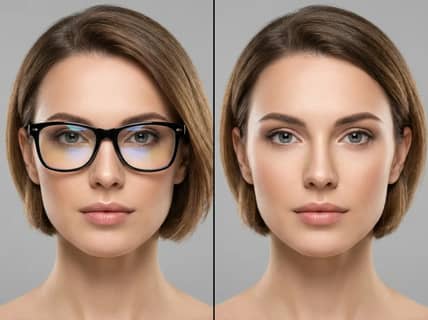
Erase eyeglasses from photos using AI. Reveal clean, natural faces—perfect for portraits, IDs, or creative edits.
or drag and drop photo here
No Image? Try one of these


How to Remove Glasses from Photos
Upload your photo, and our AI glasses remover will detect and remove eyeglasses automatically. No manual touch-ups or advanced tools required.
Upload Your Image
Use a clear photo where glasses are visible across the eyes. The more defined the frame and lighting, the better the outcome.
Click to Remove
The AI scans facial landmarks, identifies eyewear, and reconstructs the eyes and surrounding area with lifelike texture and lighting.
Download or Share
Your glasses-free photo is ready in seconds. Download or share it instantly—no watermark, no delay.
Upload Your Image
Use a clear photo where glasses are visible across the eyes. The more defined the frame and lighting, the better the outcome.
Click to Remove
The AI scans facial landmarks, identifies eyewear, and reconstructs the eyes and surrounding area with lifelike texture and lighting.
Download or Share
Your glasses-free photo is ready in seconds. Download or share it instantly—no watermark, no delay.
AI Tools to Erase Eyeglasses
Discover how our glasses removal tool combines facial mapping, AI enhancement, and visual cleanup to give you polished, natural-looking results.
Precision Eyewear Detection
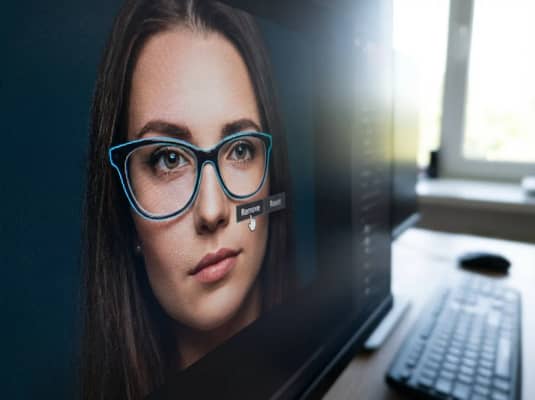
Our AI locates glasses frames, lens glares, and shadows—even subtle or transparent types—and cleanly removes them while keeping facial features intact.
Realistic Eye Area Rebuild
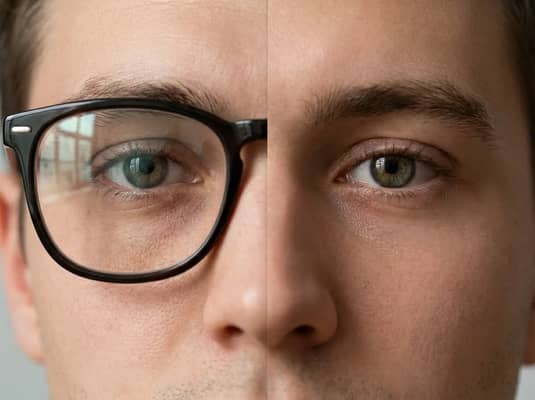
After removing glasses, the tool recreates the eye region using adaptive inpainting, ensuring symmetry, texture, and skin tone remain consistent.
Online Editor, No Installation
Skip the software. Use our glasses remover in any browser—secure, private, and accessible on desktop or mobile.

Why Choose Our Glasses Remover?
From casual selfies to formal IDs, our AI tool removes glasses online with speed and accuracy—ideal for beginners, pros, or anyone needing glasses-free images.
Natural Looking Results
Remove eyeglasses from your photo while keeping clarity and style. Great for resumes, social profiles, and creative designs.
- • Eye & Skin Detail Retention
- • No Frame Shadows
- • HD Output
Easy for Everyone
One-click editing makes this tool ideal for non-designers, professionals, and anyone who wants fast, clean results.
- • Click-to-Clean Interface
- • Mobile & Web Compatible
- • Fast AI Response
Built for Every Use Case
Whether you're submitting a document photo, training a model, or cleaning up selfies, our glasses remover adapts to your workflow.
- • For ID & Documents
- • For Creators & Developers
- • For CVs & Avatars
Free to Try
Get started without commitment. Enjoy a free trial and upgrade anytime for unlimited high-resolution access.
- • No Signup Needed
- • Pay-as-You-Go Plans
Glasses Removal FAQs
Find out how to remove glasses from photos, get optimal results, and ensure secure processing using our smart online tool.
It uses facial analysis and AI inpainting to erase glasses and rebuild eye regions, resulting in clear and natural facial visuals.
Yes. Our tool can detect and remove both clear and tinted lenses, including frame shadows and glare.
Absolutely. The AI retains eyes, eyebrows, and proportions to ensure identity and realism are maintained.
Yes. You can test it for free. Premium plans unlock unlimited use and high-res downloads.
Yes. All images are processed securely and permanently deleted after editing for full privacy.