Remove People
from Pictures
Easily erase people from photos with AI. Remove strangers, photobombers, or unwanted individuals while preserving your background and photo quality.
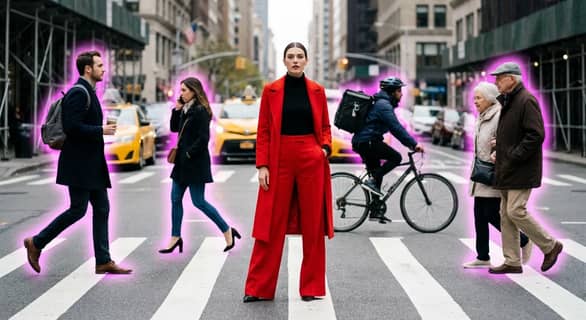
or drag and drop photo here
No Image? Try one of these


How It Works
Wondering how to remove people from photos without Photoshop? Just upload, click, and let our AI remove unwanted individuals instantly and cleanly.
Upload Your Image
Choose a photo with people you want to remove. Higher resolution helps ensure smooth edits and better background recovery.
Click to Remove
The AI detects and erases selected individuals, restoring the background naturally without the need for manual retouching.
Download or Share
Download your clean image or share it instantly. Enjoy professional-level editing results online, with no software required.
Upload Your Image
Choose a photo with people you want to remove. Higher resolution helps ensure smooth edits and better background recovery.
Click to Remove
The AI detects and erases selected individuals, restoring the background naturally without the need for manual retouching.
Download or Share
Download your clean image or share it instantly. Enjoy professional-level editing results online, with no software required.
Smart AI to Remove People from Photos
Our AI-powered people remover erases unwanted individuals from your pictures—perfect for travel, portraits, group shots, or cleaning up memories. Remove multiple people at once and retain a clean, natural background.
Advanced Object & Person Detection
Our AI automatically detects people in photos—whether in the background or center frame. It’s ideal for removing strangers, ex-partners, or photobombers without affecting the rest of the image.
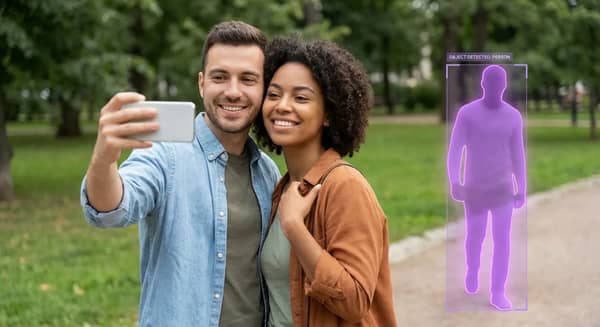

Background Preservation
Erase a person while keeping the scene consistent. Our smart fill algorithm rebuilds the area behind the removed subject—whether it’s landscape, architecture, or indoor detail.
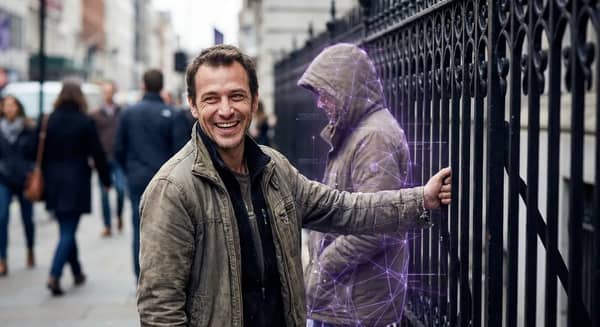
Erase Multiple People
Want to fix a group photo or remove several people at once? Our tool supports multi-subject detection and batch cleanup in a single click.
Why Use Our People Remover?
Whether you're fixing a group shot, removing strangers from travel images, or cleaning up family photos, our AI tool simplifies the process—no experience needed.
Perfect for Any Scenario
From travel photos to family gatherings, this tool helps remove strangers, extra guests, or even ex-partners from your images.
- • Clean Up Tourist Shots
- • Fix Group Photo Composition
- • Erase Past Relationships
No Photoshop Needed
No editing experience? No problem. Our AI people remover does the work for you—simple, intuitive, and browser-based.
- • One-Click Interface
- • Works on Any Device
- • No Software Installation
Preserve Photo Quality
We use advanced algorithms to remove people without blurring, smudging, or degrading the image. Keep lighting, sharpness, and background intact.
- • Natural-Looking Results
- • Seamless Scene Refill
- • No Artifacts or Ghosting
Free to Try
Use our free trial to test the AI person remover. Premium features offer HD output, multiple image cleanup, and priority processing.
- • Try Before You Upgrade
- • Simple Pricing Plans
Remove People from Photos: FAQs
Learn how to use AI to remove people from photos without losing quality, and how our tool keeps backgrounds intact for seamless editing.
Our tool uses AI to remove people online—just upload your image, and it will erase selected individuals automatically while preserving the background.
No. The background is reconstructed intelligently to ensure the result looks natural and high-quality.
Yes. The AI supports multi-person removal in one go—ideal for crowded scenes or complex edits.
Absolutely. Our AI rebuilds the space behind removed individuals, so the original setting stays consistent and unblurred.
Yes. You can try it for free. Premium plans are available for high-resolution exports, batch editing, and additional features.