Remove Scribbles from
Any Photo
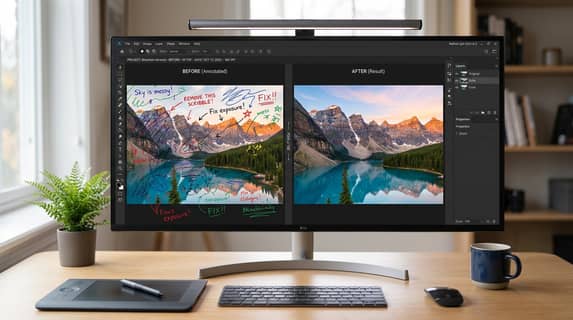
Someone drew all over your photo? No worries. Upload your image and let our AI erase every scribble, doodle, pen mark, and annotation — leaving you with a clean, untouched-looking picture in seconds.
or drag and drop photo here
No Image? Try one of these


How to Remove Scribbles from a Photo
Getting rid of unwanted doodles and pen marks takes just three quick steps. No design skills required — the AI handles everything.
Upload Your Photo
Drop in the image that has scribbles, doodles, handwriting, or marker drawings on it. We support JPG, PNG, and WebP.
AI Detects & Erases
Our AI figures out exactly where the scribbles are and removes them — filling in the area underneath so it looks like they were never there.
Download Clean Image
Preview the result and download your scribble-free photo in full resolution. It's that simple.
Upload Your Photo
Drop in the image that has scribbles, doodles, handwriting, or marker drawings on it. We support JPG, PNG, and WebP.
AI Detects & Erases
Our AI figures out exactly where the scribbles are and removes them — filling in the area underneath so it looks like they were never there.
Download Clean Image
Preview the result and download your scribble-free photo in full resolution. It's that simple.
Why This Scribble Remover Actually Works
Most erasers leave smudges or blur the area. Ours doesn't. Here's what makes it different.
Smart Scribble Detection
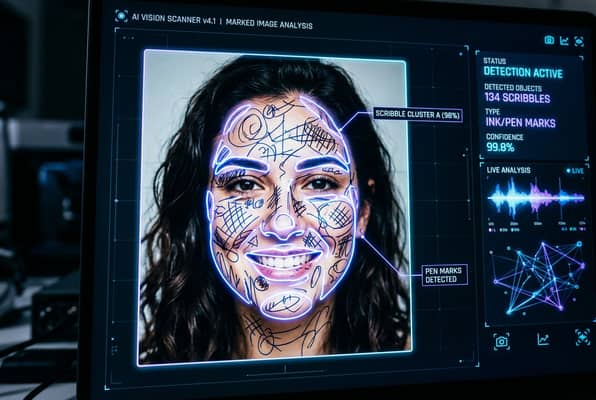
The AI doesn't just blur everything — it actually understands the difference between your photo content and the scribbles drawn on top. Whether it's a thin pen line, a thick marker stroke, or messy crayon doodles, it identifies and targets only what needs to go.
Works on All Kinds of Marks
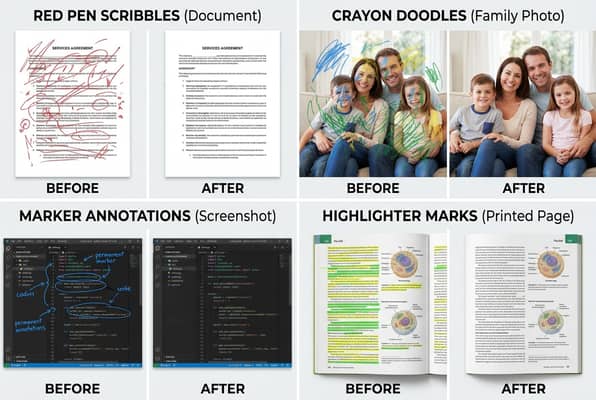
Pen marks, marker lines, crayon doodles, handwritten notes, digital annotations, screenshot markup — this tool handles them all. It doesn't matter if the scribbles are colorful, overlapping, or covering someone's face. The AI adapts to each situation.
Clean Results, Full Resolution
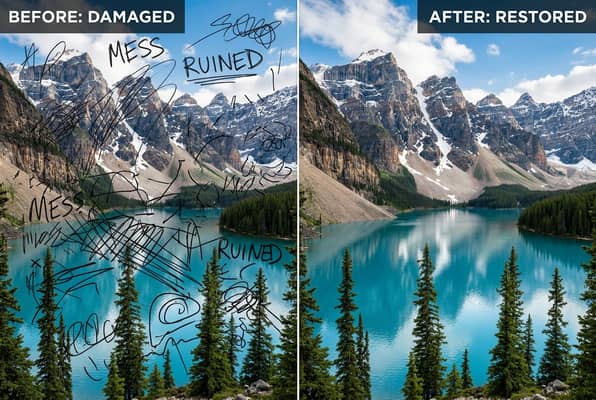
After removing the scribbles, the AI reconstructs what was underneath — matching textures, colors, and patterns so the edit is invisible. You get back a full-resolution image that looks like nobody ever drew on it.
When You'd Actually Need This
Real situations where removing scribbles from photos saves the day.
Kids Drew on Your Photos
Your toddler got hold of a pen and scribbled all over a printed photo — or your kid doodled on a digital picture with their tablet. Either way, this tool brings your photo back.
- • Remove crayon and marker doodles from scanned photos
- • Erase digital scribbles kids made on tablet screenshots
- • Restore family photos damaged by children's drawings
Clean Up Annotated Screenshots
You marked up a screenshot for work or school — circles, arrows, handwritten notes — and now you need the clean version. Just upload and let the AI strip away all the annotations.
- • Remove red circles and arrows from screenshots
- • Erase handwritten annotations from document photos
- • Clean up marked-up presentation slides and diagrams
Remove Vandalism & Graffiti Marks
Someone drew on a photo you care about — whether digitally or on a physical print that you scanned. The AI can erase those unwanted marks and restore the image underneath.
- • Erase pen marks drawn over printed photographs
- • Remove digital graffiti and overlay drawings
- • Restore vandalized images to their original state
Fix Marked-Up Documents & Forms
Got a scanned document with someone's handwriting, cross-outs, or doodles in the margins? Clean it up for a professional-looking version without the clutter.
- • Remove handwritten notes from scanned documents
- • Erase margin doodles and strike-through marks
Frequently Asked Questions
Everything you want to know about removing scribbles from photos.
Yes — it handles all kinds of drawn marks including pen lines, marker strokes, crayon doodles, highlighter marks, and digital annotations. The AI identifies the drawn elements and erases them while reconstructing the image underneath.
No. Unlike basic eraser tools that just blur the area, our AI actually reconstructs the textures and details that were hidden under the scribbles. The result looks natural, as if the marks were never there in the first place.
Absolutely. If you scan a printed photo that someone drew on with a pen or marker, the AI can detect and remove those physical marks just as well as digital ones. Just make sure the scan is reasonably clear.
Yes. Handwritten notes, text annotations, arrows, circles, and any other markup can be removed. This is especially useful for cleaning up annotated screenshots, marked-up documents, or photos with written labels.
You can try it for free with no signup required. For higher resolution outputs and batch processing, check out our subscription plans — but casual use is completely free.