AI Business Card Generator - Front and Back Designs
Use this AI business card maker to create custom front and back layouts, explore business card ideas, and add a logo or QR code in minutes.
Build your card
Create custom business cards from your brand details
Front
Custom AI Business Card Designs for Any Brand
Create polished business card examples, branded front and back layouts, and digital-ready card visuals without starting from a blank canvas.
Turn Contact Details into Front and Back Business Cards
Add your name, job title, company, email, phone, and brand direction, and the AI business card generator turns them into polished front and back card layouts. It is a fast way to create business cards that already feel structured, branded, and presentation-ready.

Explore Business Card Ideas, Styles, and Templates
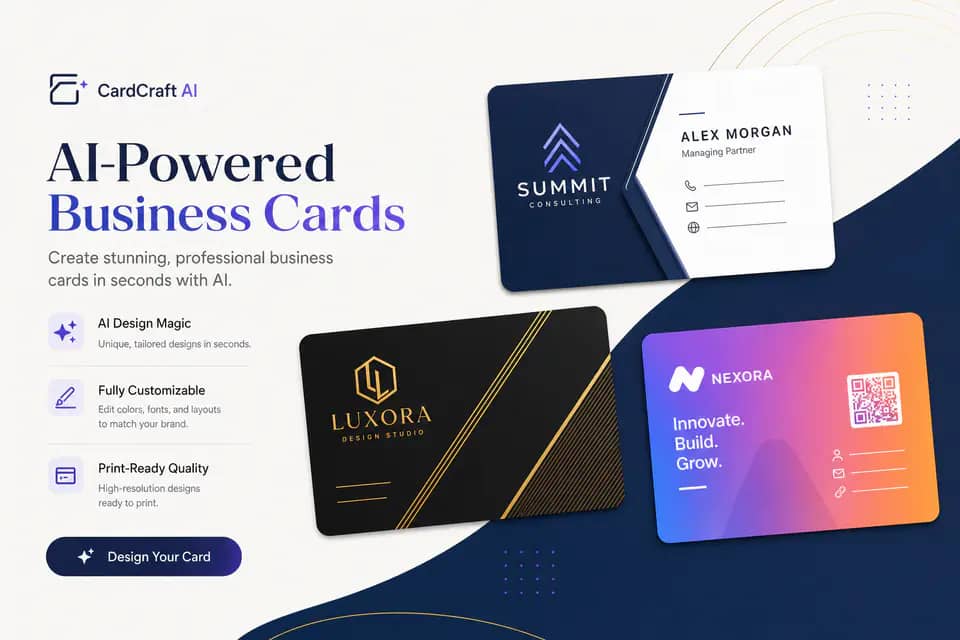
Switch between classic corporate, minimal, luxury, gradient, vintage, organic, geometric, and tech-inspired looks to generate fresh business card ideas. Instead of recycling the same template, you can compare multiple visual directions and pick the one that matches your brand best.

Add Logo and QR Code Content
Upload a real logo, include a QR code, and keep your business card design tied to your actual brand assets. This makes it easy to create custom business cards for digital sharing, event networking, and print design handoff from one workflow.

See how teams use our AI business card maker to generate faster card concepts and cleaner brand presentation.
Trusted by Founders, Consultants, and Creators
We generated six business card ideas before lunch and picked a final consulting layout the same day. The front and back previews made the decision much easier.

Melissa Grant
Brand Consultant
I used it to make custom business cards for my salon with a QR code for bookings. The design felt polished enough to hand straight to our printer.

Jordan Lee
Salon Owner
This AI business card generator helped our startup test modern and luxury directions without paying for multiple first-round mockups.

Noah Patel
Startup Founder
Business Card Designs for Real-World Use Cases

Consulting and Agency Cards
Create business cards for consultants, agencies, and client-facing teams with structured hierarchy, premium branding, and front and back designs that feel ready for meetings and proposals.

Creator, Salon, and Service Brands
Make business cards that feel personal and memorable for creators, beauty businesses, coaches, photographers, and local services. Add a slogan, custom style, and QR code for easy follow-up.

Real Estate and QR Contact Cards
Generate business cards with QR code layouts for listings, open houses, portfolios, and instant contact sharing. It is ideal for brands that need both digital business card utility and print-ready presentation.
How to Create Business Cards with AI
Fill in your brand details, choose a design direction, and generate front and back business card concepts in one workflow.
Generate Business CardAdd Your Contact Details
Enter the name, job title, company, and optional contact details that should appear on the card. Add an optional slogan or design direction if you want more tailored business card ideas.
Choose Style, Industry, and Assets
Select a style, choose landscape or portrait orientation, pick an industry, and upload a logo or QR code if needed. This helps the AI business card maker create more on-brand layouts.
Generate, Review, and Download
Generate both the front and back card designs, switch between the two sides, and download the version you want to share, refine, or send into your print workflow.
Frequently Asked Questions About AI Business Card Generator
Can't find the answer you're looking for? Contact our support team
An AI business card generator creates branded card layouts from your contact details and design choices. It helps you make business cards faster by turning your inputs into polished front and back concepts.
Yes, you can upload both a logo and a QR code. The generator uses those assets to create more custom business cards with stronger brand continuity and easier contact sharing.
Yes, this business card maker creates both sides in one workflow. You can review the front and back separately before downloading the final card images.
Yes, the output works well for digital business card sharing and design handoff. You can use it as a branded concept for online sharing, team review, or print preparation.
Landscape and portrait layouts are supported. The output ratios are tuned to feel close to standard business card dimensions while still working well for digital preview and generation quality.
Yes, you can make business cards for consulting, tech, beauty, real estate, retail, creative services, and more. The style and industry controls help the AI steer toward more relevant business card examples.
No, you do not need design skills. The tool handles the core layout direction so you can start from strong business card templates instead of a blank page.