AI Portrait Generator - People and Pet Portraits
Upload your own selfie, pet photo, or another image you are authorized to use, choose a style, and generate polished portraits for profile pictures, gifts, wall art, and social posts in one workflow.
Recommended only for photos you own or have permission to edit
-
0/300
People
One AI Portrait Generator for People, Pets, and Styled Results
Create recognizable portraits from photos or prompts with mode-aware styles for headshots, avatars, keepsakes, and custom pet art.
From Photo to Recognizable Portraits
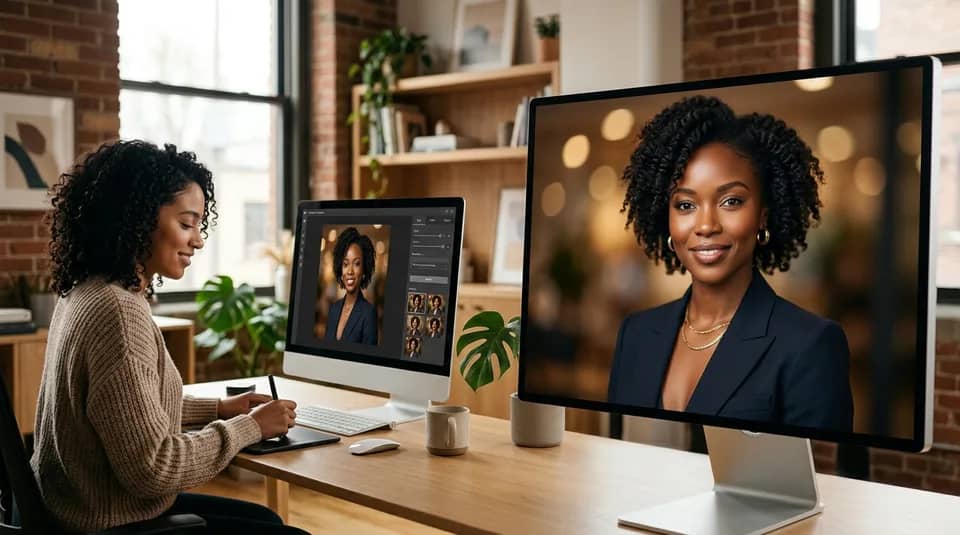
Upload one clear photo and the generator builds a polished portrait while keeping important facial details, pet markings, and overall personality visible. It is designed for users who want the final image to still feel like their real subject rather than a random AI character.

Switch Between People and Pets
Use one page for professional headshots, creator portraits, royal pet paintings, watercolor pet gifts, and social-ready avatars. The interface changes style and goal options based on the subject so the workflow stays simple and relevant.

Styles Built for Headshots, Gifts, and Avatars
Choose studio, cinematic, oil painting, anime, royal pet, cartoon, watercolor, and more. Each style changes lighting, composition, and finishing detail so you can move from realistic profile photos to decorative pet artwork without rewriting your whole idea.

People use this AI portrait generator when they need a fast result that still feels personal.
Used for Profiles, Gifts, and Pet Art
I uploaded one selfie, picked studio mode, and had a clean profile portrait in minutes. It looked polished without losing my face shape.

Maya Reed
Content Creator
The pet portrait flow is exactly what I wanted. I chose royal style, added a short note, and got wall-art-ready dog portraits for a birthday gift.

Chris Nolan
Pet Parent
We used the tool for staff avatars and for a mascot dog portrait on the same day. The people and pets switch keeps the workflow very practical.

Alicia Gomez
Small Business Owner
High-Intent Uses for AI Portraits

Profile Pictures and Creator Avatars
Generate portraits for LinkedIn, personal branding, author pages, speaker bios, and social channels. Clean studio and cinematic styles work especially well here.

Custom Pet Portrait Gifts
Turn a pet photo into something display-worthy for birthdays, memorial keepsakes, framed prints, and thoughtful custom presents.

Wall Art, Posters, and Social Posts
Use fantasy, oil, cartoon, or watercolor styles to create decorative portraits that feel more like finished artwork than a basic filter effect.
How to Use the AI Portrait Generator
Go from upload to finished portrait in three simple steps.
Generate PortraitChoose People or Pets
Pick the subject mode, then upload one clear photo of yourself, your pet, or a subject you are authorized to edit. You can also start from text only if you prefer a fully generated portrait.
Pick the Goal and Style
Select what the portrait is for, such as a profile picture, creative avatar, gift, or wall art. Then choose a matching style like studio, royal, anime, watercolor, or oil painting.
Generate and Download
Click generate to create your portrait on the same page. Review the full-size result, open it in the lightbox, and download the version you want to keep.
AI Portrait Generator FAQ
Can't find the answer you're looking for? Contact our support team
This AI portrait generator creates people portraits, creator avatars, and pet portraits from either a photo or a text prompt. You can use it for profile images, gifts, wall art, and social-ready portrait concepts.
Yes. The pets mode is built for dogs, cats, and other pets, with styles like royal, watercolor, cartoon, and classic painting. Uploading a pet photo helps the result keep recognizable fur patterns and markings.
No. You can generate a portrait from text only. Uploading a photo is the better choice when you want the final result to look like yourself, your pet, or another subject you have permission to edit.
Only upload photos you own or have explicit permission to edit. Do not use this tool to imitate public figures, create misleading identities, edit minors without appropriate authorization, or represent someone as endorsing a message.
Usually yes, especially when the reference image is clear and front-facing. The tool is designed to preserve major identity cues, but final likeness can still vary by style and prompt strength.
Studio and cinematic styles work best for clean profile portraits. Royal, watercolor, and classic painting styles work especially well for gift-ready pet portraits and decorative artwork.
Most portrait generations finish in about 30 to 60 seconds. Timing can vary a bit based on queue load, image size, and prompt complexity.
Yes, new users can start with free credits. If you need more generations after that, you can continue with a paid plan.