1
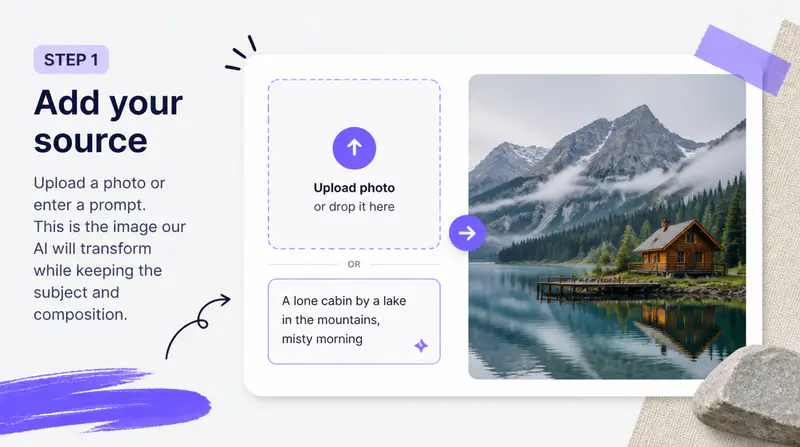
Upload the source image
Choose the photo whose subject and composition you want to preserve. A clear image under 3MB works best for the reference-guided workflow.
Upload a source photo, choose one of 10 visual references or add your own, and create a new image that keeps the original subject and composition.
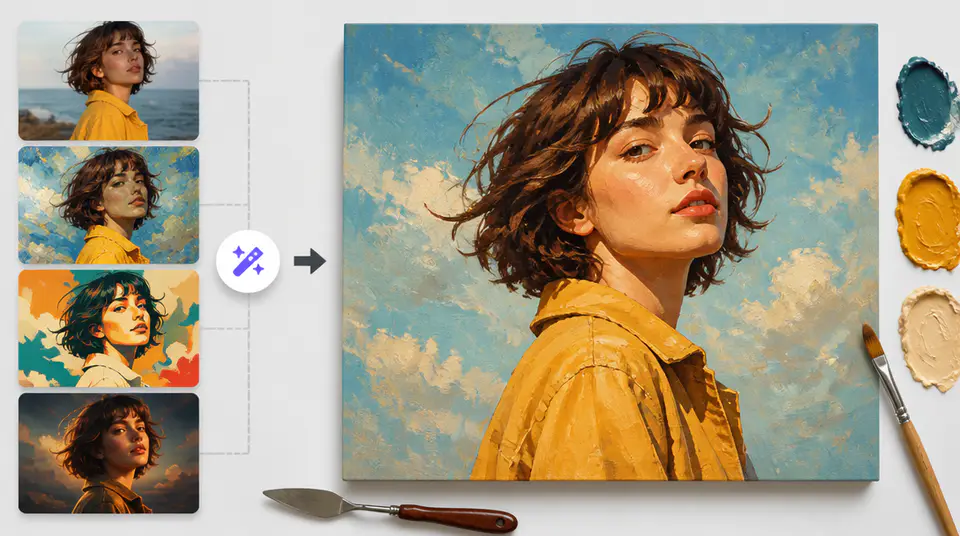
Use a reference image to guide color, texture, and artistic character while keeping the source image recognizable.
The first image remains the structural reference. AI uses its subject, pose, scene, and layout while changing the visual treatment based on the selected style image.

Compare distinct reference images directly in the form. The visual selector makes each direction easier to understand before generation than a list of abstract style names.

Use your own artwork, texture, palette, or visual reference when the built-in options do not match the direction you need. The second image becomes the style guide for the result.

Fictional examples based on common illustration and design workflows.
I can keep the composition of a client photo while comparing visual directions that would otherwise take several manual mockups.

Maya Patel
Art Director
The preset thumbnails make it clear what kind of texture and palette I am choosing before I spend a credit.

Jonas Reed
Concept Illustrator
Uploading my own reference is useful when a campaign already has a defined visual language that the new image needs to follow.

Sofia Larkin
Brand Designer
Restyle a source image with a visual reference in three focused steps.
Choose the photo whose subject and composition you want to preserve. A clear image under 3MB works best for the reference-guided workflow.
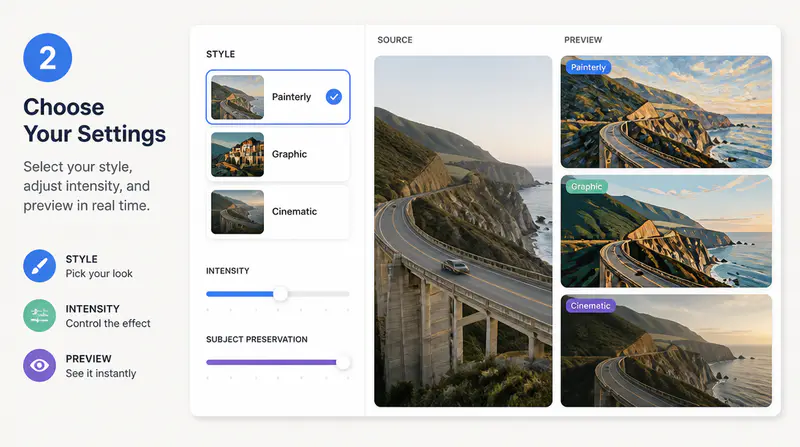
Select one of the 10 visual presets or upload your own JPG, PNG, or BMP reference image to define the target look.
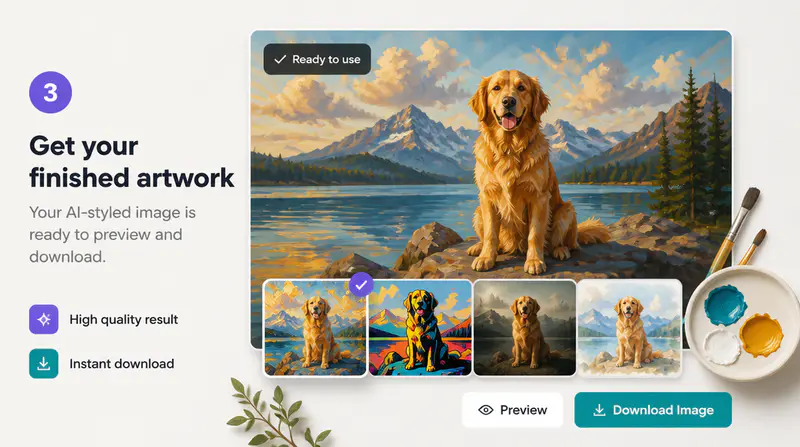
Create the restyled image, inspect it at full size, and download the result or start over with another reference.
Can't find the answer you're looking for? Contact our support team
AI style transfer applies visual qualities from a reference image to a source image. The goal is to preserve the source content and composition while changing its palette, texture, and artistic treatment.
Yes. You can choose one of the 10 preset references or upload a JPG, JPEG, PNG, or BMP image under 3MB as the style guide.
The source image guides the subject and composition, but generative processing may reinterpret fine details. Review faces, text, logos, and product details before publishing.
Use a clear source photo with a readable subject and a style reference with an obvious palette, texture, or artistic treatment. Strong references produce easier-to-distinguish results.
You can download the generated result for your creative workflow. Make sure you have permission to use both uploaded images and review the final result for third-party rights.
Keep exploring
Related Imgkits tools selected for the task you are working on.