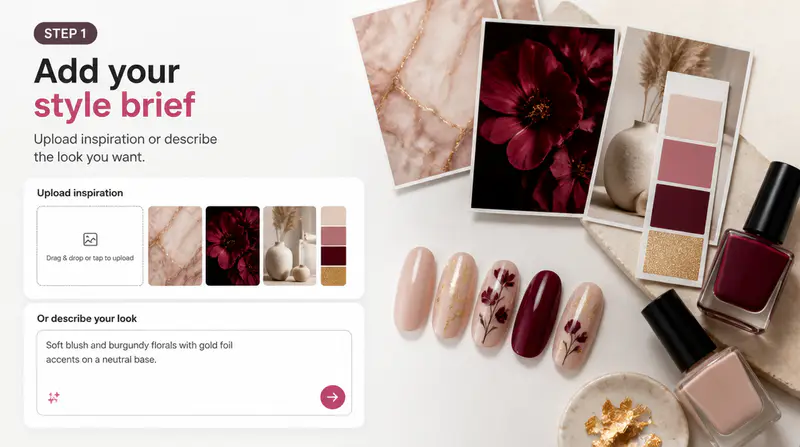
Set the design direction
Choose an occasion or describe the colors, patterns, details, and mood you want. Add a hand photo only when you want a personalized preview.
Describe a manicure, choose the nail shape, length, and finishes, then create a coordinated nail sheet and realistic hand preview.
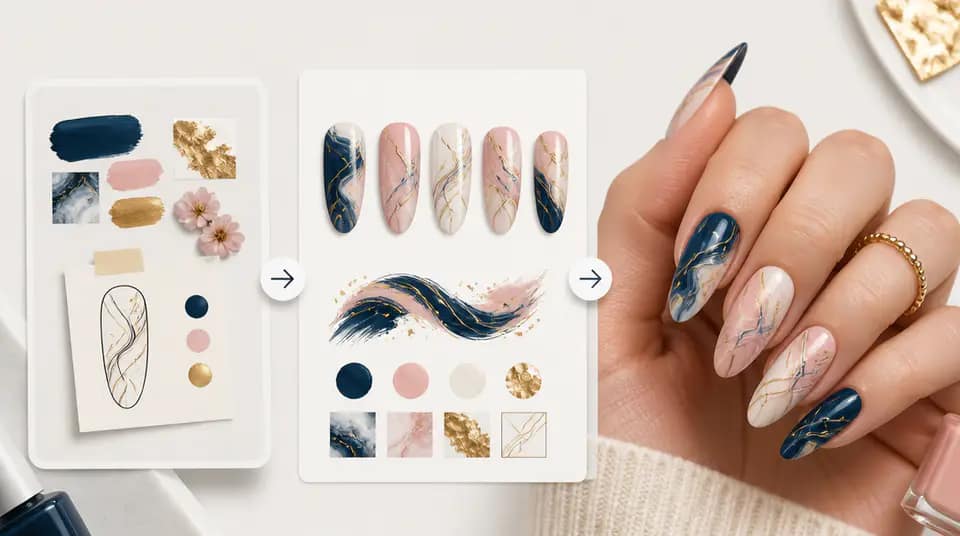
Turn a creative direction into a clear ten-nail reference and see how the coordinated design can look on real hands.
Choose a practical direction for work, dates, vacations, parties, weddings, or campus life. Add your own description when the concept needs exact colors, motifs, mood, or seasonal details.

Compare six nail shapes, four lengths, and eight compatible finishes. Combine glossy color, gradients, French tips, glitter, cat-eye, matte, jelly, or chrome effects in one design brief.

The first result arranges all ten nail tips as a clear salon reference. The second applies that exact design to a realistic hand preview or to the optional hand photo you upload.

Fictional examples based on common nail design workflows
The ten-nail sheet gives me a clear reference before an appointment. I can compare a subtle work look with a bolder weekend direction without guessing how the full set fits together.

Elena Marlowe
Beauty Content Planner
I use the shape and finish combinations to prepare manicure concepts for small product shoots. The hand preview helps the team understand scale and overall balance quickly.

Mateo Kline
Creative Producer
Uploading a hand photo makes consultations more concrete. Clients can discuss the pattern, accent nail, and finish with a useful visual instead of a loose description.

Amara Okafor
Independent Nail Artist
Create a coordinated manicure concept in three focused steps.
Choose an occasion or describe the colors, patterns, details, and mood you want. Add a hand photo only when you want a personalized preview.
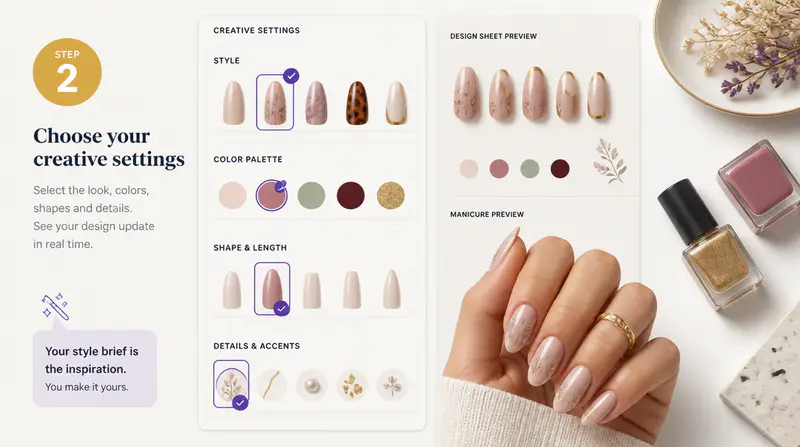
Select the nail shape and length, then combine one or more finishes such as French, glitter, matte, jelly, or chrome.
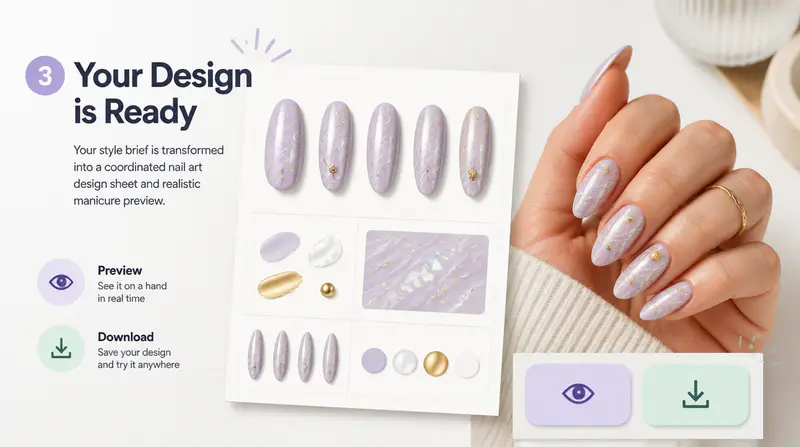
Review the ten-nail reference and hand preview, open either image at full size, and download the result you need.
Can't find the answer you're looking for? Contact our support team
It creates a coordinated flat layout of ten nail tips and then uses that design as a reference for a realistic hand preview.
No. A hand photo is optional. Without one, the tool creates a studio-style hand preview. With one, it applies the generated nail design to your uploaded photo.
Available shapes include round, square, oval, almond, coffin, and stiletto. Length options include short, medium, long, and extra-long.
Yes. Select multiple effects such as gradient, French tips, glitter, cat-eye, matte, jelly, or chrome to build a more specific direction.
The ten-nail sheet remains available when it succeeds. A run is charged once when at least one generated result is returned.
Yes. Use the result carousel to switch between available outputs and download each image separately.
Keep exploring
Related Imgkits tools selected for the task you are working on.